
View inventory within Rank App
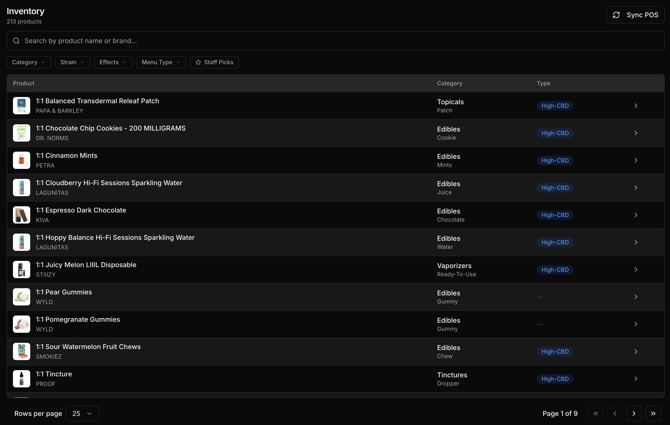
- Navigate to the business location you'd like to view inventory for.
- Open the side panel option: Menu > Inventory
- Here you will find a full list of inventory items that are applicable to display within the live website menu. As well as a button to manually sync inventory from the POS in the top right.
Detailed Product Data and Overrides
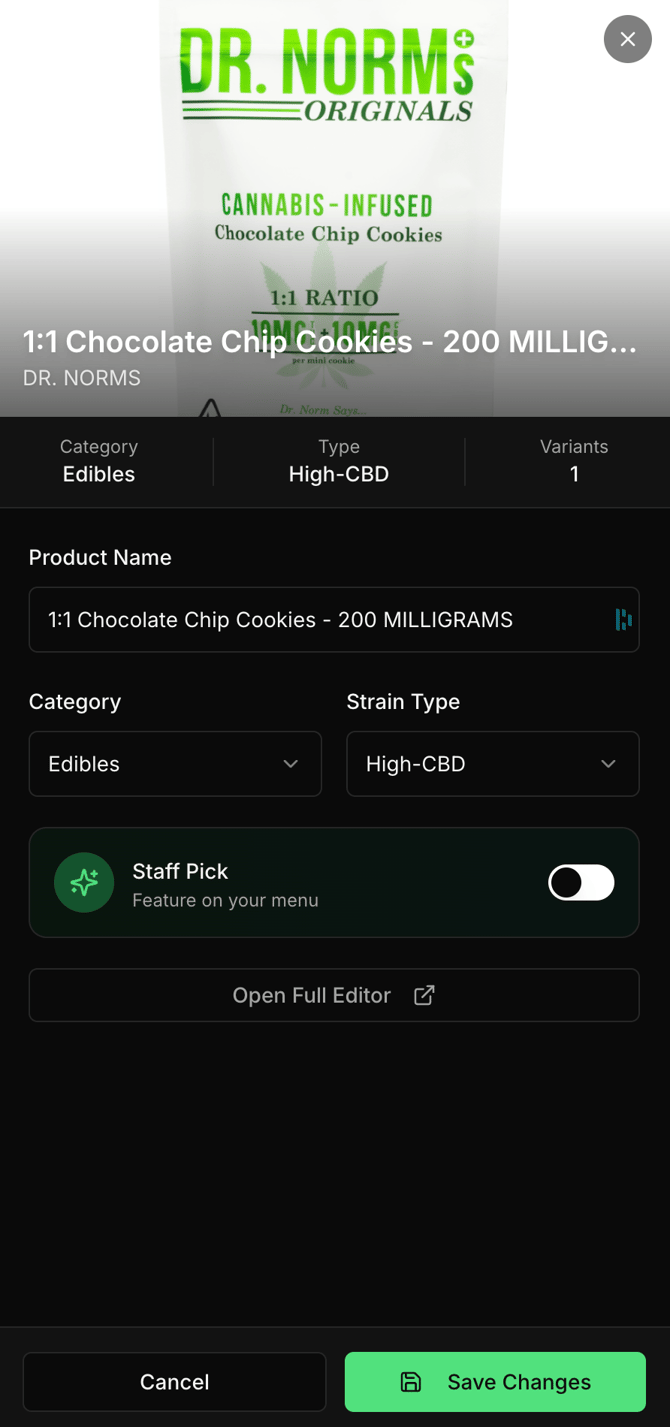
- Clicking on any product within the inventory list will popup a side panel with a high level overview of the product.
- Within the side panel you can override the product name, category and strain type as well as set the product as a "Staff Pick"
- "Open the Full Editor" will open up more product data and overrides.