
After logging into Rank App you will be greated with your list of businesses. These are the businesses that are within your organization.
Businesses
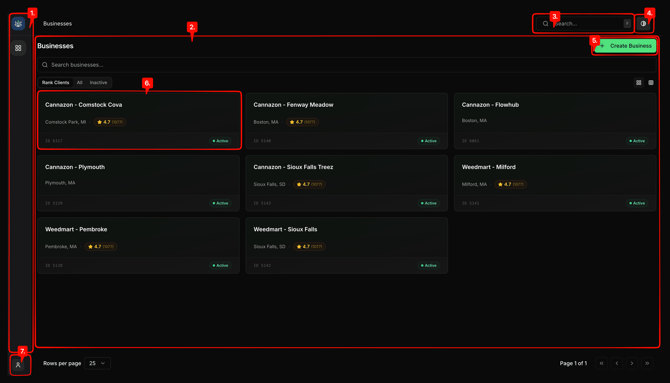
- Recent business side panel
- Find your recently managed businesses and organizations for quick access.
- Main business directory
- A view of all your active and inactive business locations
- Rank App Search
- Quickly access any of the information, areas or features throughout Rank App
- Dark and light mode toggle
- Change the color theme of Rank App's interface
- Create Business
- Create a new business location in Rank App
- Business location cards
- A card for each business location showing the business name, account id, location and more. Can be selected/clicked to access the business location's information and tools.
- Account and Rank Settings
- Manage your account, logout, etc.
Ecommerce
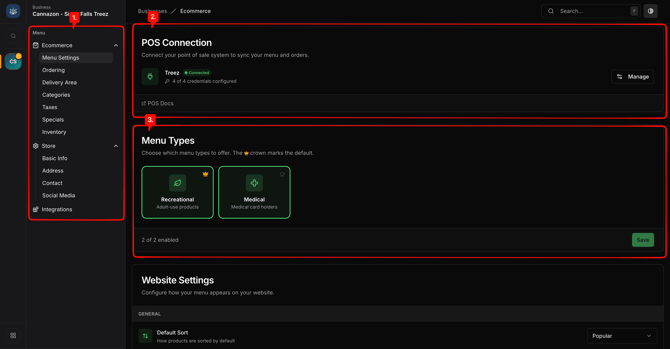
- Menu
- Ecommerce
- Menu Settings
- View the status of the POS/Inventory integration, adjust the menu types, edit menu sort and other website settings.
- Ordering
- Adjust and add order types, payment types and other ordering options.
- Delivery Menu
- View, remove or add delivery zones.
- Categories
- Adjust inventory category mappings from the inventory feed to the website menus.
- Taxes
- Adjust various tax calculation options, add and remove taxes.
- Specials
- Create, edit and manage specials and promotions.
- Inventory
- View inventory and set product level overrides.
- Menu Settings
- Integrations
- Enable/Disable various integrations to build more functionality and user experiences across the website.
- Ecommerce
Menu Settings
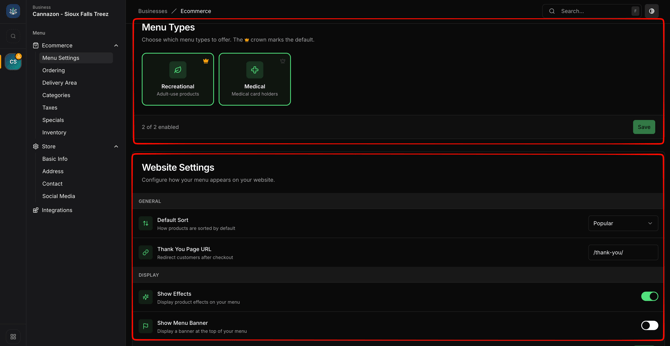
- Menu Types
- Enabling or disabling the specific dispensary menu feed type for Recreational and/or Medical feeds.
- Website Settings
- Default Sort: How the products on the website'sx menu are shown by default.
- Thank You Page URL: Dictates where customer are taken after completing a purchase.
- Show Effects: Populates and Displays product effects and menus.
- Show Menu Banner: Displays a promotional text area above the menu.
- Banner Content: The text content and formatting that will be displayed.
Ordering
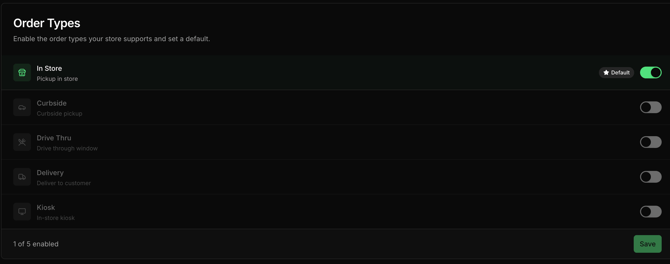
- Enable/Disable which order types are accepted at this business location.
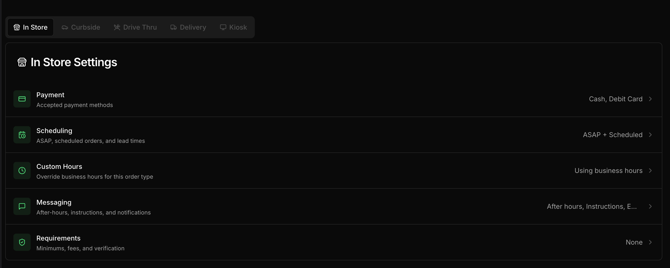
- Set various settings for each of the accepted order types; Payments, scheduling, custom hours, messaging, order requirements.
Delivery Area
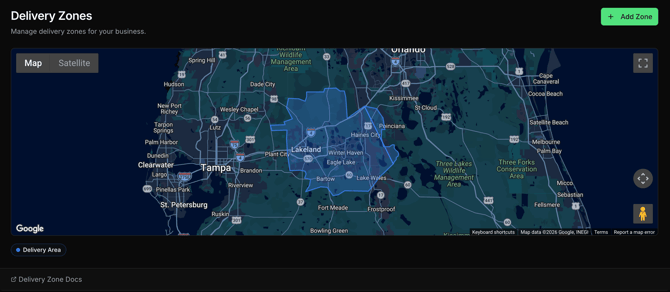
- Remove or upload the delivery zone for the business location.
Categories
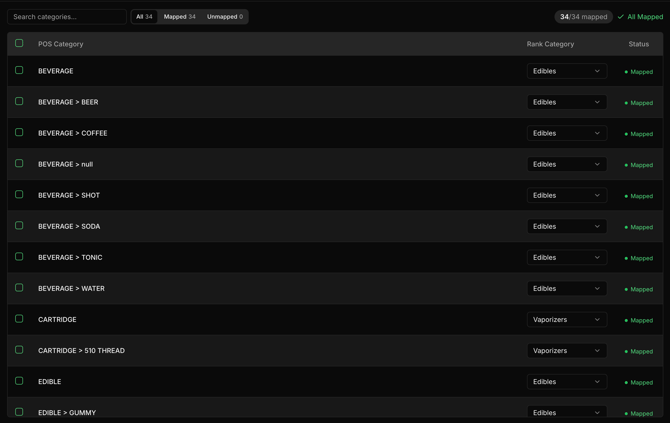
- Map categories from the inventory feed to match with those available on the website's menu.
Taxes
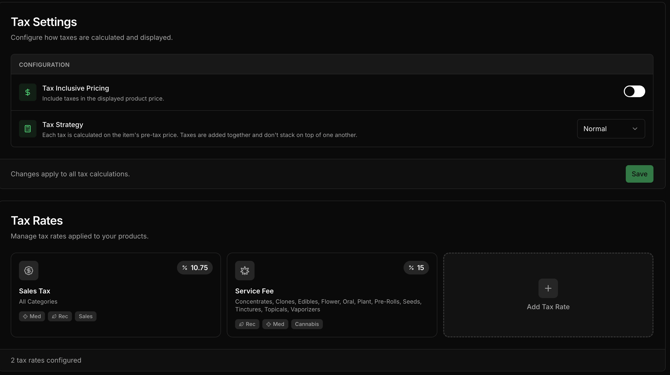
- Setup excise, state and local taxes.
Specials
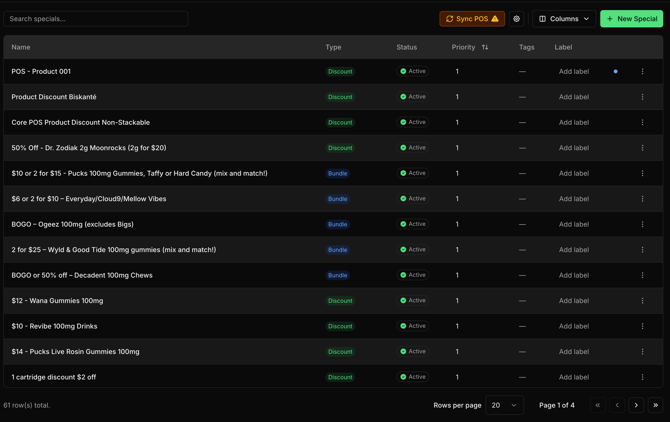
- Create or Sync specials, promos, bundle and offers.
Inventory
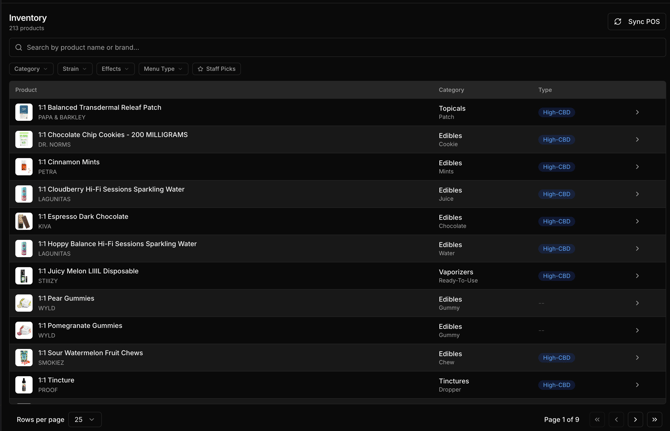
- Sync, view or set product level information overrides.
Store
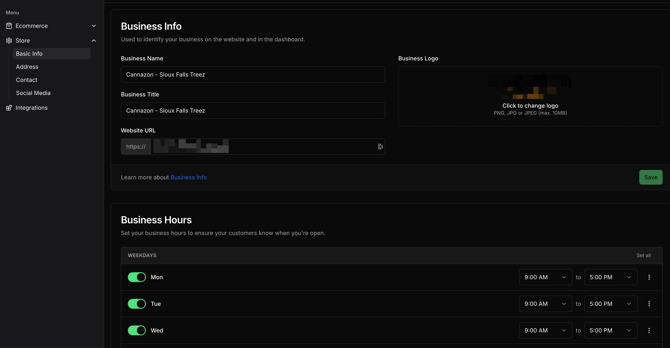
- Store
- Basic Info
- Update business information, hours, etc.
- Address
- Update business address.
- Contact
- Update business contact information; email and phone.
- Social Media
- Update business social media links and profiles.
- Basic Info
Basic Info
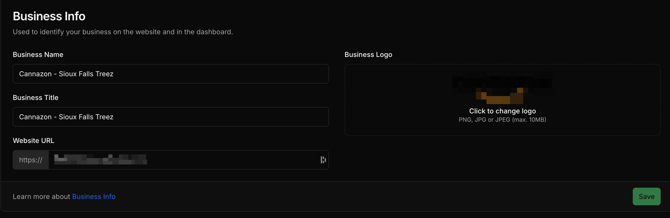
- Business Info
- Set the business name, title, website url and logo.
Business Hours
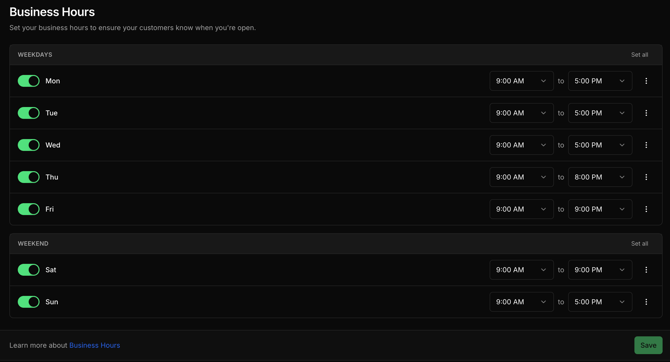
- Business Hours
- Setup the hours for the business location
Address
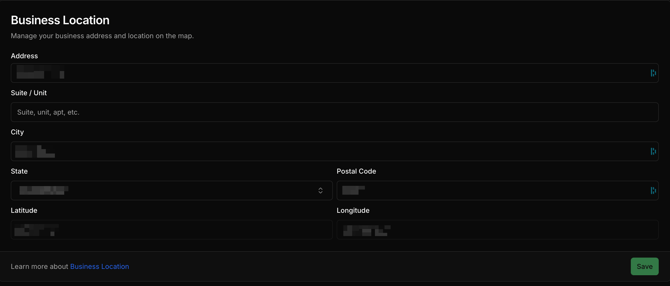
- Business Address
- Setup or update business location address information.
Contact
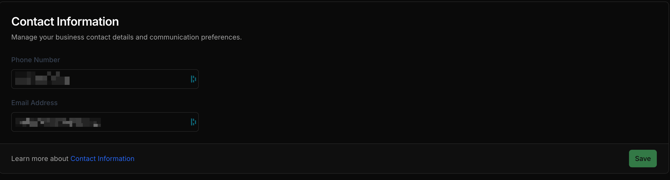
- Business Contact
- Setup or update business location phone and email.